
Documents
Create rich, project-scoped documents that live beside your board, chat, and files.
Documents are full rich-text documents scoped to a project — the place for specs, briefs, meeting notes, and anything longer than a quick to-do. They're distinct from the lightweight Notes checklist.
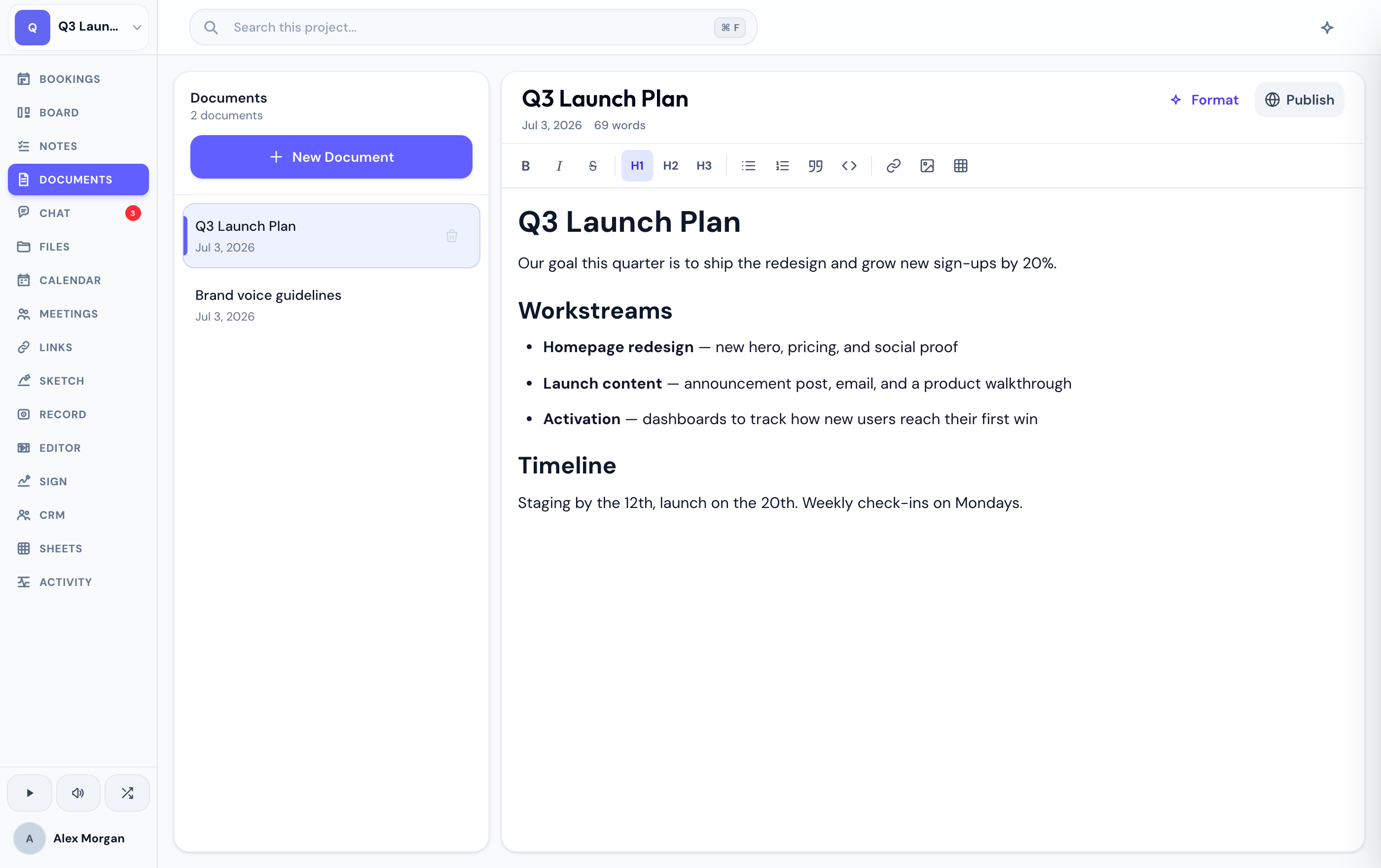
Create and manage documents
Start a new document and give it a title. It opens straight into the editor, ready to type.
Rename a document any time, and drag documents in the list to order them how you like.
Remove a document you no longer need.
Editing happens in place — type and your changes are saved, with no separate edit or preview mode to switch between.
Where they fit
Documents live right beside your board, chat, and files, all within the same project, so the writing stays in context with the work it describes. Documents generated from a meeting even link back to that meeting.
You can share a document as an unlisted, read-only public link. See publishing for how it works and the password option.
If you don't see the Documents tab, an admin may have hidden it for your project.
Related
Headings, lists, links, images, tables, and YouTube embeds in the document editor.
Pull teammates into a document with @mentions, and type hands-free by voice.
A lightweight per-project checklist for capturing to-dos fast — separate from Documents.
Was this helpful?