
Cards and the detail panel
Open a card to work in its description, checklist, labels, files, and discussion.
A card is one thing that needs doing. Open it to reveal a detail panel where everything about that work lives together — the details, the discussion, and every attachment.
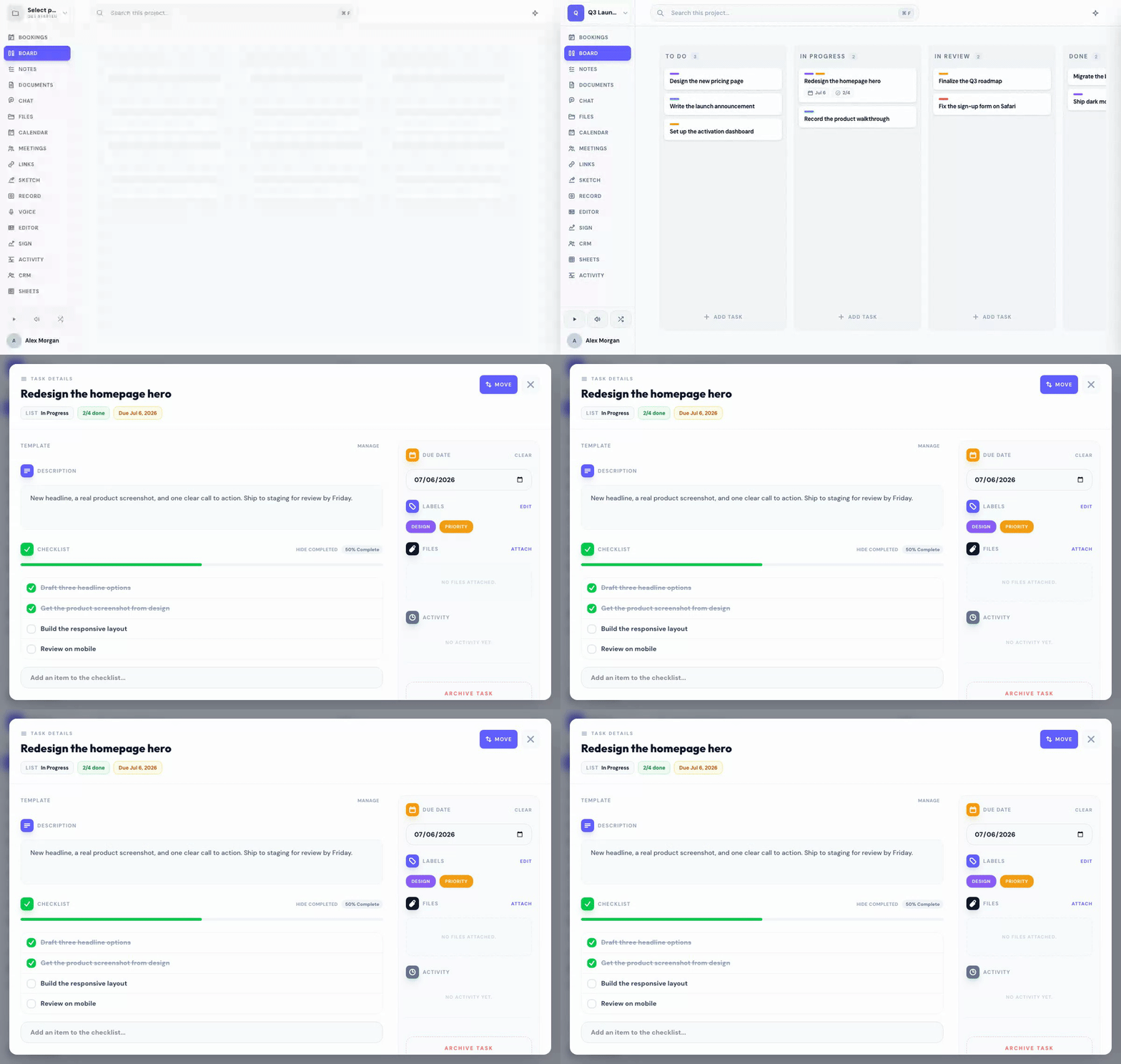
Open a card and work its sections
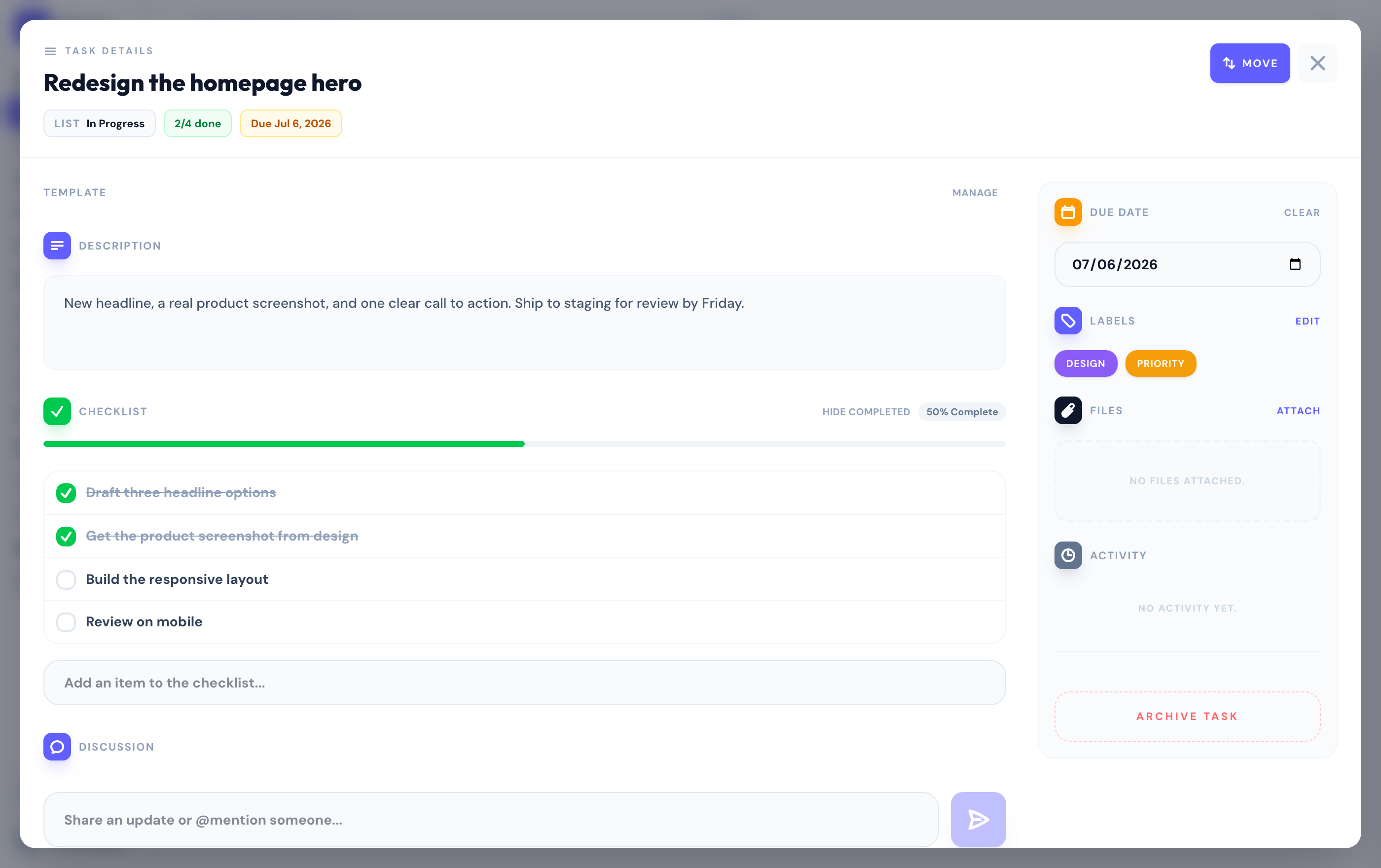
Click any card to open its detail panel. Each section collapses, so you can focus on what matters and hide the rest:
- Description — capture the details of the task, with rich text.
- Checklist — break the work into items, and hide completed ones with a toggle.
- Labels — colored tags to categorize and filter.
- Files — attach anything relevant to the card.
- Discussion — comment and @mention teammates, who get notified.
- Due date — when it needs to be done.
Collapsing a section — say Files — remembers your choice across every card, so the panel always opens the way you like it.
Discuss, mention, and archive
Post an update in the discussion and @mention a teammate to pull them in — they get notified. You can edit or delete your own comments.
When a card is done or no longer needed, archive it to clear it from the board while keeping its history, or delete it outright.
Ask Scout to comment, check off a checklist item, or move a card — press ⌘ K and describe what you want.
Related
Was this helpful?