
| Progress | Voicenotes | |
|---|---|---|
| Voice recording + AI transcription | Yes — record, automatic transcript | Yes — record, automatic transcript |
| Ask AI about your recordings | Yes — ask AI about any voice note; Scout also knows the whole project | Yes — Ask AI across all notes, including voice-to-voice; this is its specialty |
| Capture on the go | Web, iOS, and desktop | Stronger — iOS, Android, Apple Watch, desktop, and browser, built for instant capture |
| Meeting notes | Yes — AI transcription, summary, and action items emailed to attendees | Yes — Voicenotes Meetings for recordings and reports |
| Project workspace around your notes | Yes — board, docs, chat, files, calendar, e-signatures, bookings | No — a personal notes tool by design |
| Client-facing surfaces | Yes — clients join meetings, sign documents, and view shared pages with no account | No |
| Price | Free during open beta | Free tier (100 transcript min/week, 30-day history); Pro $14.99/mo, Team $49/mo |
What Voicenotes does well
Voicenotes is one of the best-executed single-purpose apps around. It's fast, minimalist, and everywhere — iOS, Android, Apple Watch, desktop, and browser — so capturing a thought takes seconds no matter where you are. Its flagship "Ask AI" feature lets you query everything you've ever recorded and get an answer back in a few seconds, even voice-to-voice: speak a question, hear the reply. The free plan is genuinely generous too — 100 minutes of transcripts a week, unlimited raw recordings, and no credit card required. As a personal thinking tool, it's hard to fault.
Our angle: voice notes that belong to the project
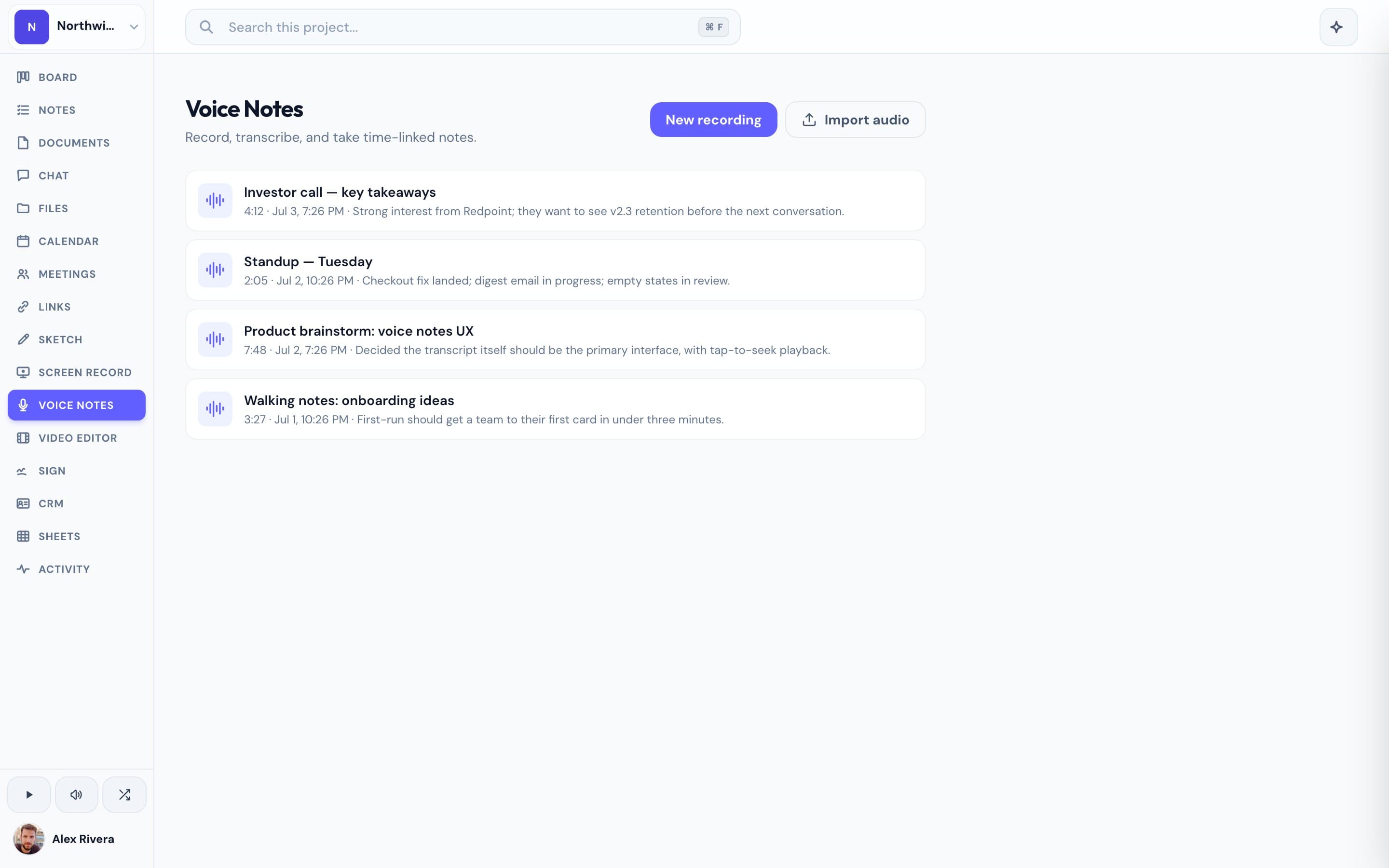
Progress isn't a dedicated voice-notes platform, and we won't pretend to be. What we built is the part that matters for client work: record a voice note, get an automatic transcript, and ask AI about what you said — all inside the same workspace as the project it's about. That changes what a voice note is for. The debrief you record after a client call sits next to that client's board and chat. The idea you capture can become a card, a document, or a message without leaving the app — and Scout, the project AI, has the full project as context, not just your recordings. Meetings get their own AI notes with transcription, summaries, and action items emailed to attendees. And because Progress is completely free during the open beta, you're not paying a notes-tool subscription on top of everything else.
This is the real thing
Actual screenshots from a live Progress workspace — not mockups. Every project ships with all of it.


Looking for a Voicenotes alternative?
Be honest with yourself about what you're recording. If you want a pure personal capture tool — random thoughts, journal entries, ideas from your wrist on a walk — Voicenotes is excellent and you should probably keep it. But if you love the record-transcribe-ask workflow and what you actually need is for those notes to live with your client work, Progress is worth a look. You get the same core loop — record a voice note, read the transcript, ask AI about it — plus the board, documents, team chat, meetings with AI notes, and every other surface a client project needs, in one workspace. No per-seat notes subscription, no copying transcripts between apps. Free during the open beta, and beta users hear about pricing first.
More voice notes comparisons