
| Progress | Acuity Scheduling | |
|---|---|---|
| Public booking page | Yes — /book/username link, no account needed to book | Yes — polished, customizable scheduling page |
| Calendar-aware availability | Yes — reads your Google Calendar | Yes — Google, Outlook, iCloud, and more |
| Event types, reschedule & cancel | Yes — multiple event types with reschedule/cancel links | Yes — with reminders and configurable policies |
| Appointment-business features (intake forms, packages, gift certificates, classes, take payment at booking) | No — Progress isn't a dedicated appointments platform | Yes — Acuity's flagship strength, with Stripe, Square, and PayPal |
| What happens after the booking | Becomes a project: board, docs, chat, files, meeting w/ AI notes, e-sign | A confirmed appointment — project work needs separate tools |
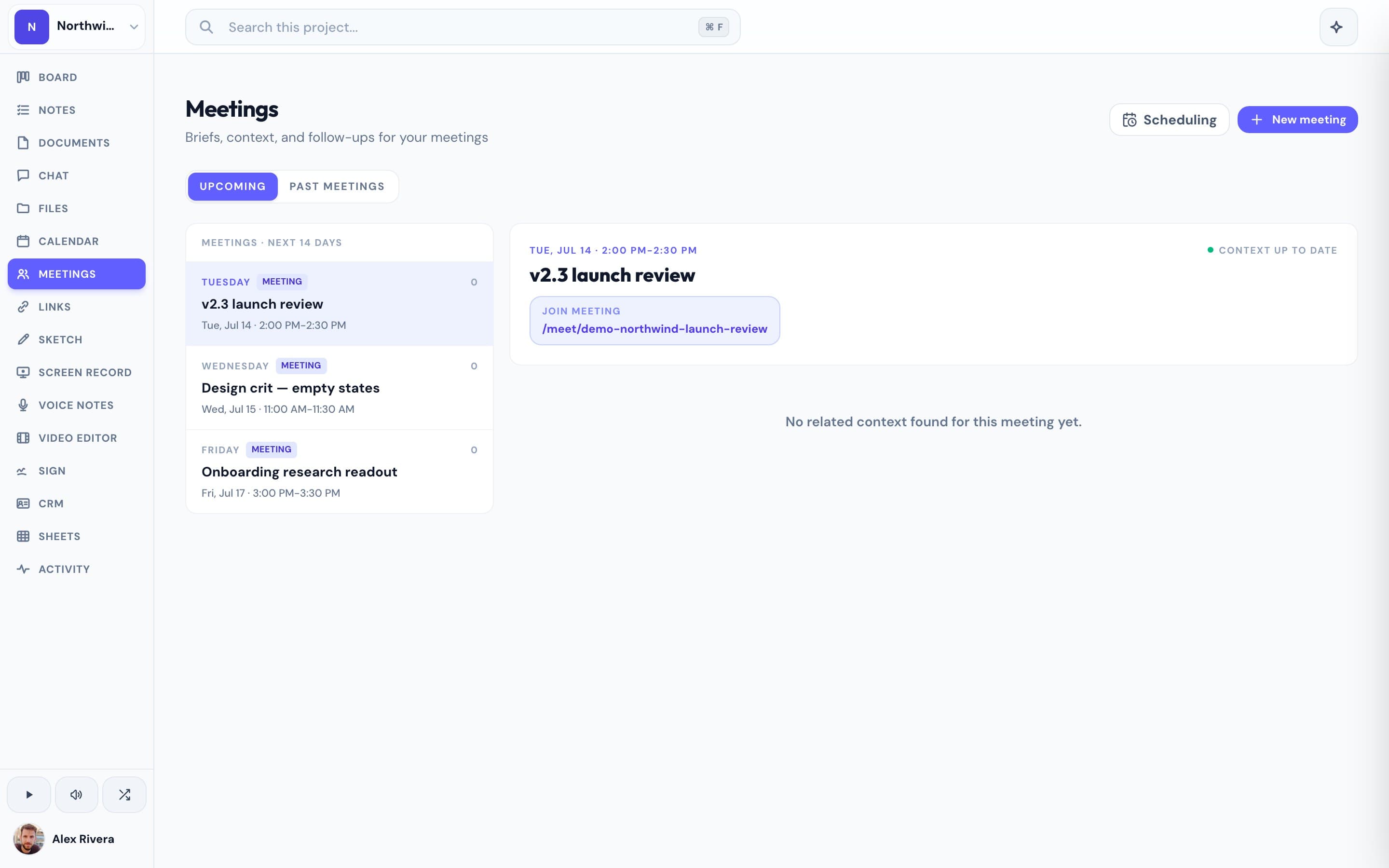
| Video meetings with AI notes | Built in — guests join by link, notes emailed after | No — pairs with Zoom or Google Meet |
| Price | Free during open beta | From $20/mo (no free plan; priced per staff calendar; processor fees extra) |
What Acuity does well
Acuity is built for businesses whose product *is* the appointment, and it shows. Client intake forms collect exactly what you need before someone walks in. Packages and gift certificates let you sell bundles of sessions up front. Class and group bookings handle a yoga studio or workshop schedule without workarounds. And payment collection through Stripe, Square, and PayPal means clients pay when they book — no invoicing chase. If you run a salon, clinic, studio, or coaching practice where scheduling and payment are the whole transaction, Acuity is a genuinely excellent tool and Squarespace has kept it well maintained.
Where Progress comes at it differently
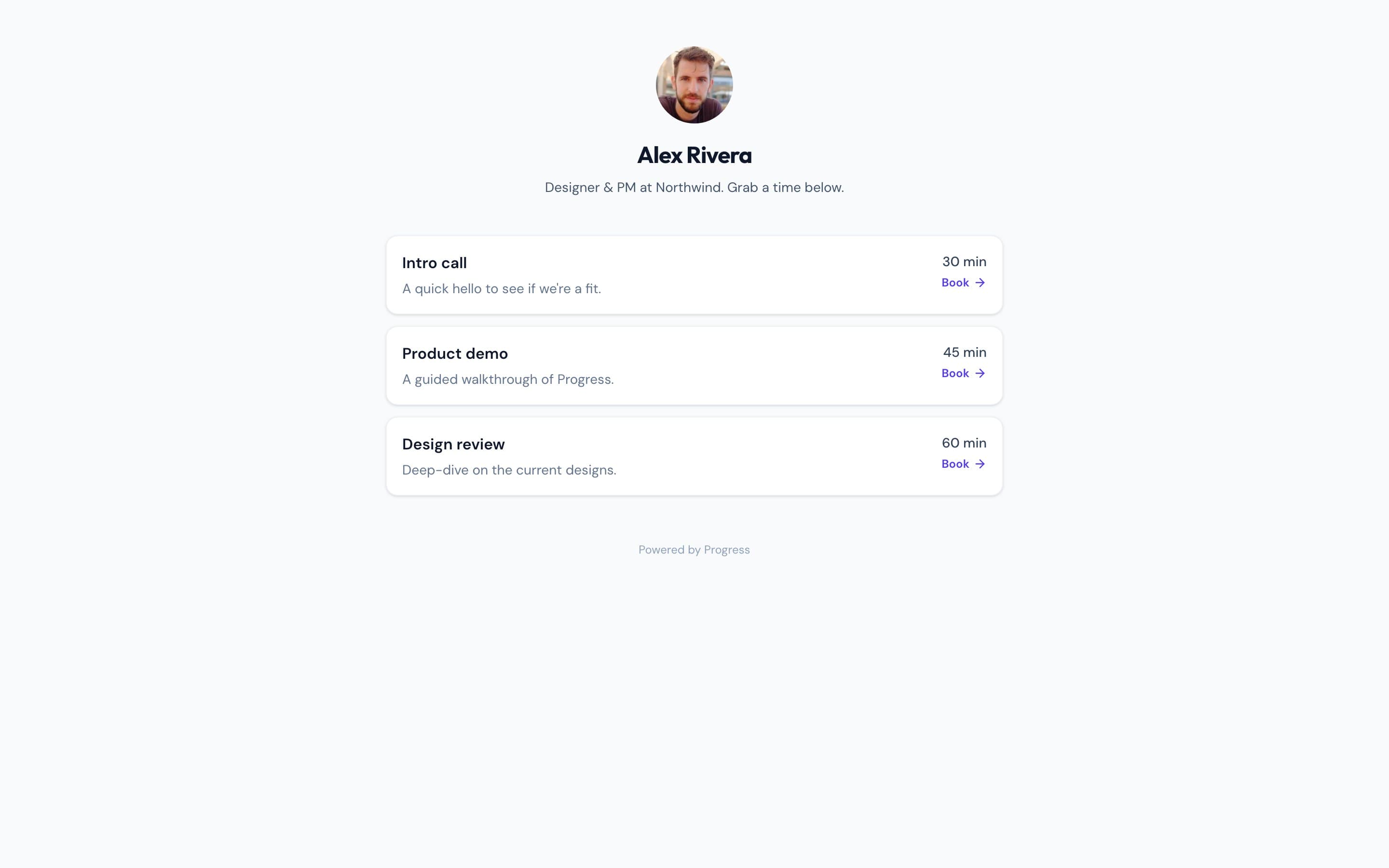
Progress includes booking pages that cover what most client-work businesses actually use: a public link at your own username, real availability read from your Google Calendar, multiple event types, reschedule and cancel links — with built-in video meetings waiting in the workspace the booking opens into. Then it does the thing Acuity can't: when someone books, that booking can become a project. The kickoff call, the kanban board, the shared docs, the team chat, the meeting recording with AI notes, the contract sent for e-signature — all of it lives in one workspace, and your client never needs an account for any of it. Acuity hands you a confirmed appointment and stops; agencies typically bolt on a separate PM tool, a docs tool, and a signature tool from there. Progress is that whole stack. And where Acuity starts at $20/month (no free plan — the 7-day trial converts to paid or you lose access, and plans are priced per staff calendar, so the bill grows with your team), Progress is completely free during open beta.
This is the real thing
Actual screenshots from a live Progress workspace — not mockups. Every project ships with all of it.

Looking for an Acuity Scheduling alternative?
Be honest about which product you're shopping for. If your business runs on appointments themselves — classes, packages, intake forms, payment at booking — Acuity remains one of the best tools for that job, and Progress won't replace it. But if you're an agency, freelancer, or consultancy paying $20–61 a month mostly to let clients grab time on your calendar, you're buying an appointments platform to use ten percent of it. Progress gives you the booking link, Google Calendar availability, event types, and reschedule/cancel handling — and the booking lands inside a full project workspace with a board, docs, chat, meetings with AI notes, and e-signatures, all free during the open beta. If you love Acuity's booking page but need everything that happens after the call to live somewhere, that's the switch Progress is built for.
Focused guides
More scheduling comparisons