
| Progress | Dropbox | |
|---|---|---|
| File storage & folders | Per-project files with folders | Yes — storage is the whole product |
| Public share links | Built-in; clients need no account | Yes, with granular link controls |
| Desktop sync & large transfers | Web/app uploads; no local sync client | Best-in-class sync, unlimited devices and 50GB transfers on paid plans |
| E-signatures | Built-in, no-account signing via link | Dropbox Sign — requires the higher Essentials tier |
| The project around the files | Board, docs, chat, meetings, bookings, CRM in the same workspace | Storage-first; no boards, chat, meetings, bookings, or CRM |
| Free plan | Everything free during open beta | 2GB, 3 devices, 30-day version history |
| Team pricing | Free during open beta | Roughly $15–18/user/mo with a 3-user minimum |
What Dropbox does well
Dropbox's desktop sync is best-in-class — files mirror across all your machines seamlessly, and paid plans sync across unlimited devices. It also handles very large files gracefully, with transfers up to 50GB on the Plus plan. If you need a deep, reliable file system in the cloud with terabytes of capacity, Dropbox is genuinely hard to beat at that one job.
Where Progress is different
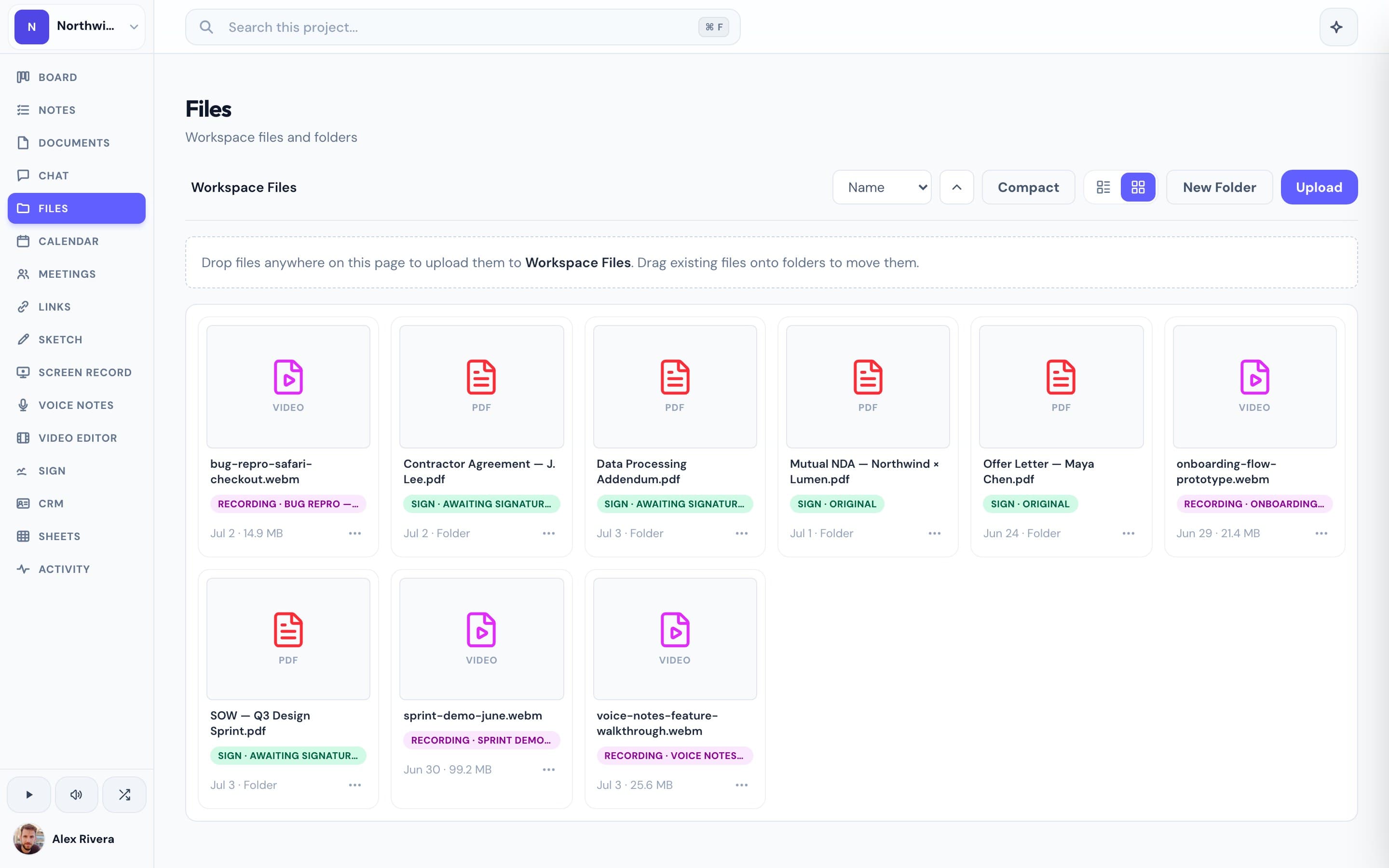
Dropbox is storage-first: the boards, chat, meetings, and client tools around your files live in other subscriptions. Progress keeps files scoped to the project — organized in folders, shareable via public links your clients can open without an account — alongside the kanban board, docs, real-time chat, video meetings, and e-signatures for that same project. E-signing is a good example of the difference: Dropbox gates it behind its Essentials tier, while Progress includes tokenized no-account signing at no extra cost. Progress isn't trying to be your 2TB sync drive; it's where the files that drive a project live with the project.
This is the real thing
Actual screenshots from a live Progress workspace — not mockups. Every project ships with all of it.


Looking for a Dropbox alternative?
If you need terabytes of synced storage, Dropbox (or Google Drive) is still the right tool — Progress doesn't compete on raw capacity. But if what you actually do is client work — sharing deliverables, collecting signatures, running the project around those files — Progress is the alternative that puts the files inside the workspace: folders and public share links next to the board, chat, docs, and meetings, free during our open beta.
Comparisons