
| Progress | PandaDoc | |
|---|---|---|
| Send documents for e-signature | Yes — no-account signing via tokenized link, audit log, security hash, encrypted | Yes — core product, legally binding, mature |
| Free plan limits | Unlimited during open beta | ~60 documents/year, max 2 recipients per doc; $3 per extra document |
| Proposal & quote builder | No dedicated builder — you send PDFs, and write docs in the built-in editor | Yes — excellent drag-and-drop builder, 400+ templates, view analytics, in-doc payments |
| Project workspace around the signature | Yes — board, docs, chat, meetings, files in the same workspace | No — documents only; runs alongside separate PM and chat tools |
| CRM and scheduling | Built-in lightweight CRM + Calendly-style booking pages | CRM via integrations, mostly gated to Business ($49/user/mo) |
| Price | Free during open beta | $19–49/user/month annual (more monthly); per-seat cost compounds with each teammate |
What PandaDoc does well
PandaDoc is genuinely more than an e-signature tool. Its drag-and-drop proposal and quote builder is excellent, backed by a library of 400+ templates, and its document analytics tell you exactly when a prospect opened your proposal and how long they lingered on the pricing page. You can even collect payment inside the document itself. If your business lives and dies by beautiful, trackable proposals — and you're willing to pay per seat for it — PandaDoc is a strong choice, especially on the Business plan where approval workflows and CRM integrations unlock.
Our angle: the signature is one step in the project
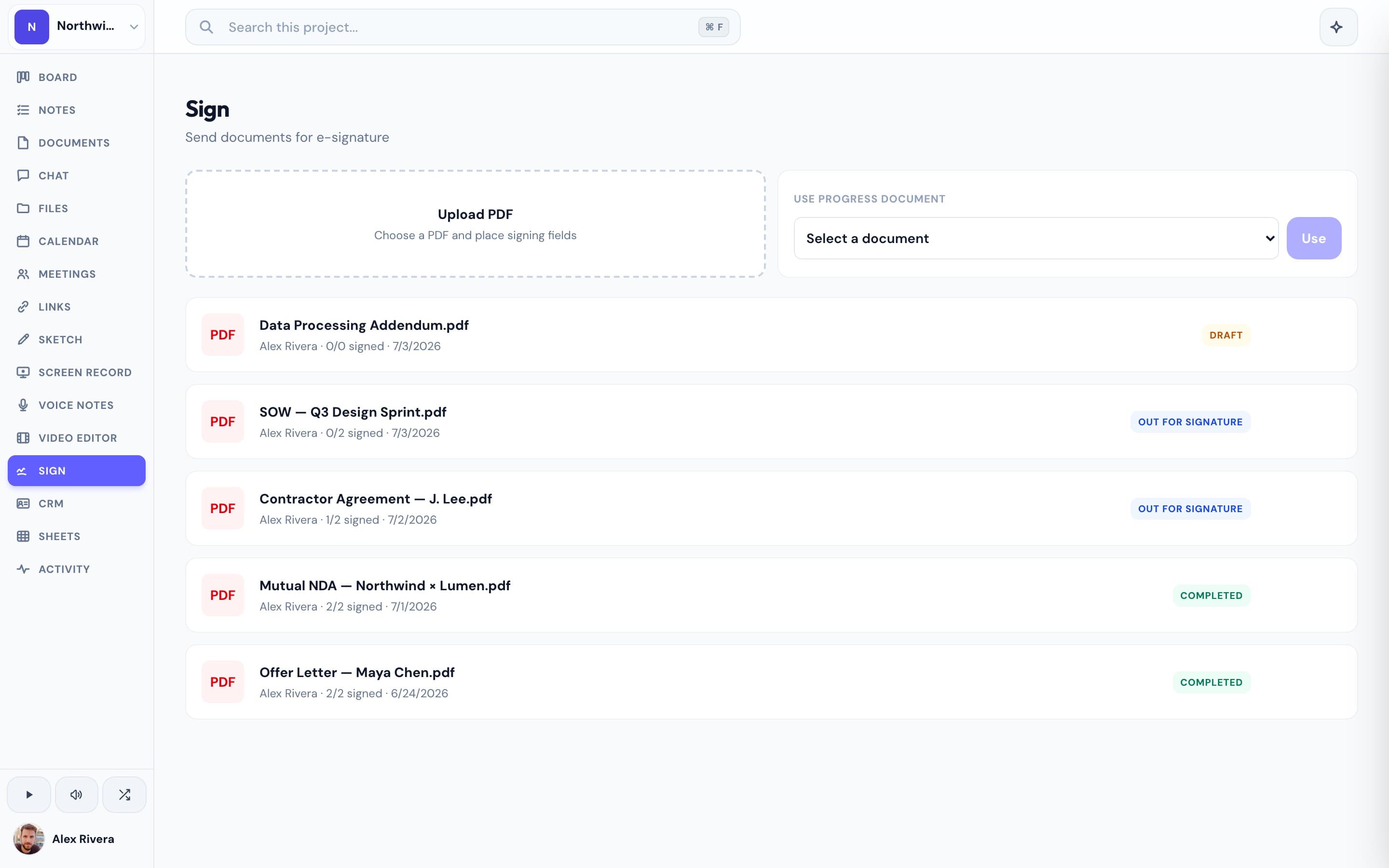
Progress isn't a dedicated document platform, and we won't pretend to be. What we have is a real e-signature tool — send a PDF for signature, your client signs through a tokenized link with no account, and every document gets an audit log, a security hash, and encryption at rest. The difference is what surrounds it. In PandaDoc, the signed contract lives in PandaDoc while the actual project happens somewhere else — a board in one tool, chat in another, meetings in a third. In Progress, the contract sits next to the kanban board it kicked off, the docs it references, the chat thread where you discussed it, and the meeting where you walked the client through it. There's a lightweight CRM to track the relationship and a booking page to schedule the kickoff call. And where PandaDoc's per-seat pricing compounds with every teammate you add — $19 to $49 per user per month, with a free plan capped around 60 documents a year — Progress is completely free during open beta, whole team included.
This is the real thing
Actual screenshots from a live Progress workspace — not mockups. Every project ships with all of it.


Looking for a PandaDoc alternative?
Be honest about what you use PandaDoc for. If your team sends polished proposals daily and depends on the template library, document analytics, and in-document payments, a dedicated platform earns its price — stay put. But if you mostly need contracts signed reliably — and you're bumping into the free plan's ~60-document cap or watching per-seat charges stack up as your team grows — you're paying document-platform prices for an e-signature feature. Progress gives you that feature with no-account signing, audit logs, and encryption, inside a workspace that also handles the board, docs, chat, meetings, CRM, and booking pages you'd otherwise pay for separately. Free during open beta: send a real contract, have a client sign it, and see whether the whole project fits in one place.
More E-signatures comparisons