
| Progress | DocuSign | |
|---|---|---|
| E-signatures | Yes — send PDFs for signature, audit log + security hash | Yes — the industry standard |
| Recipients sign without an account | Yes — tokenized signing link | Yes |
| Audit trail & document security | Audit log + security hash, encrypted | Stronger — market-leading compliance breadth (ESIGN, eIDAS, industry certifications) |
| Enterprise workflows & integrations | No — no bulk send or signature-workflow integrations (Google Calendar is the only built-in integration) | Stronger — bulk send, advanced routing, 900+ integrations |
| Documents per month | No envelope caps during open beta | 3/month free; 5/month on Personal ($10–15/mo, 1 user) |
| Project workspace around the signature | Yes — board, docs, chat, meetings, files, bookings | No — signatures only; pair with separate PM and chat tools |
| Price | Free during open beta | Free tier to ~$40/user/month, per-seat |
What DocuSign does well
DocuSign is the market leader for a reason. Its compliance coverage is the broadest in the industry — ESIGN, eIDAS, and a long list of industry-specific certifications — which matters if you work in regulated fields or send agreements internationally. It connects to 900+ other tools, and its enterprise workflow features (bulk send, advanced routing, its whole agreement-management platform) go far beyond what most alternatives offer. If your business is agreements at scale, DocuSign is built for exactly that.
Where Progress comes in: the signature, plus the project around it
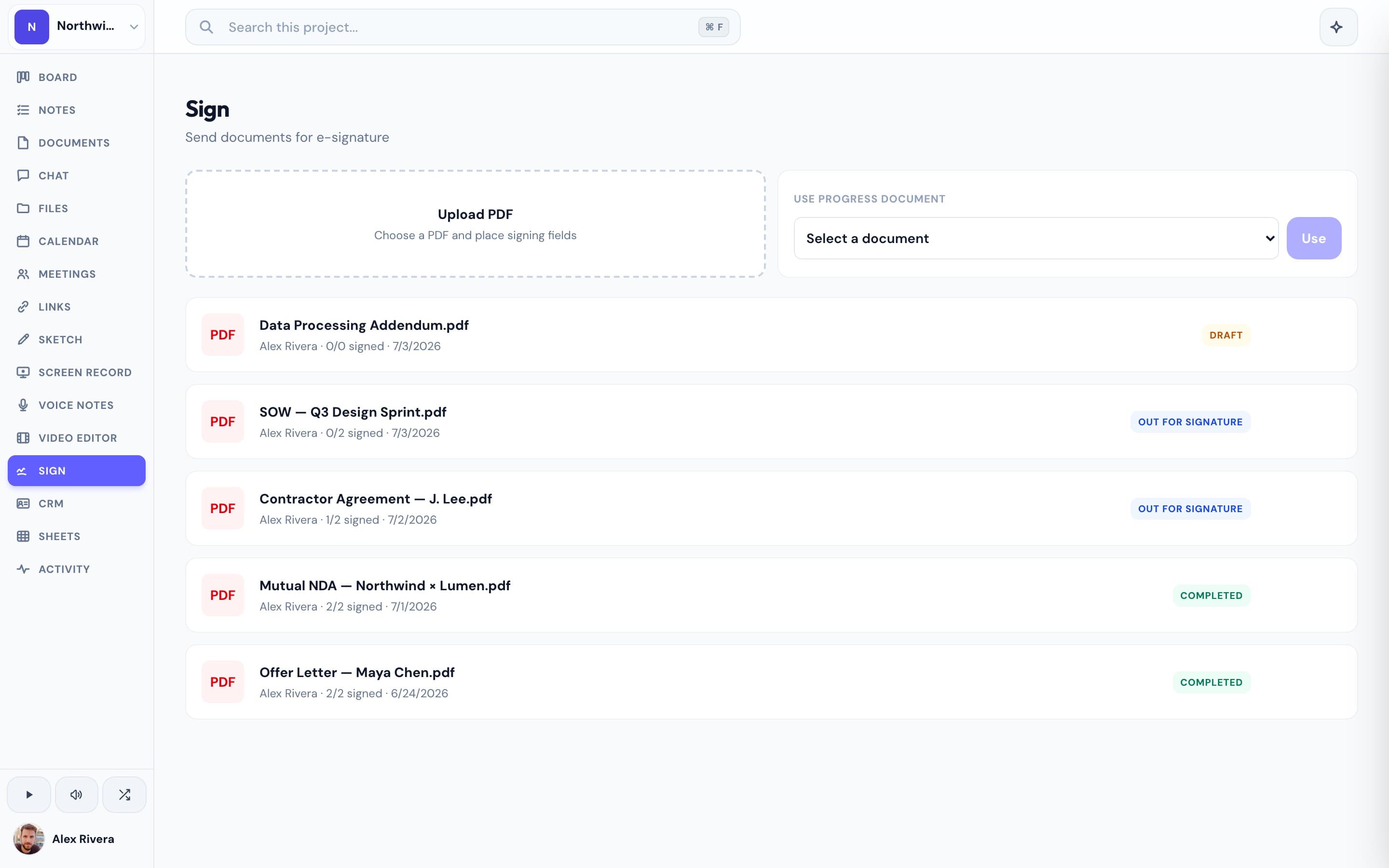
Progress is not a dedicated e-signature platform — it's a project workspace that happens to include one. You can send a PDF for signature, your client signs through a tokenized link with no account required, and every signed document carries an audit log and security hash, and documents are encrypted. That covers what most client-services teams actually use DocuSign for. The difference is everything surrounding the signature: the contract gets drafted in Progress docs, discussed in project chat, walked through on a video call, and the signed work kicks off on the same kanban board — one workspace, one link for the client, no per-envelope counting. DocuSign's free plan caps you at 3 documents a month and its paid plans run from $10 to roughly $40 per user per month; Progress e-signatures are included free during open beta, alongside everything else.
This is the real thing
Actual screenshots from a live Progress workspace — not mockups. Every project ships with all of it.


Looking for a DocuSign alternative?
Be honest with yourself about what you need. If you send high volumes of agreements, work in a regulated industry, or need bulk send and deep integrations, DocuSign is the safer choice — no workspace tool will match its compliance depth. But if you're a small team that mostly sends contracts and proposals to clients, and the envelope limits or per-seat pricing sting, you may not need a dedicated signature platform at all. Progress gives you no-account signing links, an audit trail, and encryption — built into the workspace where the rest of that client's project already lives. If you love how easy DocuSign makes signing but keep pairing it with a project tool, a chat tool, and a scheduler, Progress replaces the whole stack, free during open beta.
Focused guides
More E-signatures comparisons