
| Progress | Coda | |
|---|---|---|
| Core model | Ready project workspace from the moment you create it | Programmable doc canvas you build into an app |
| Docs as apps (formulas, buttons, automations) | No — docs stay simple by design | Yes — best in class, formula language + 600+ Packs |
| Kanban board & project calendar | Built in, linked to the project | Buildable from tables, assembled by hand |
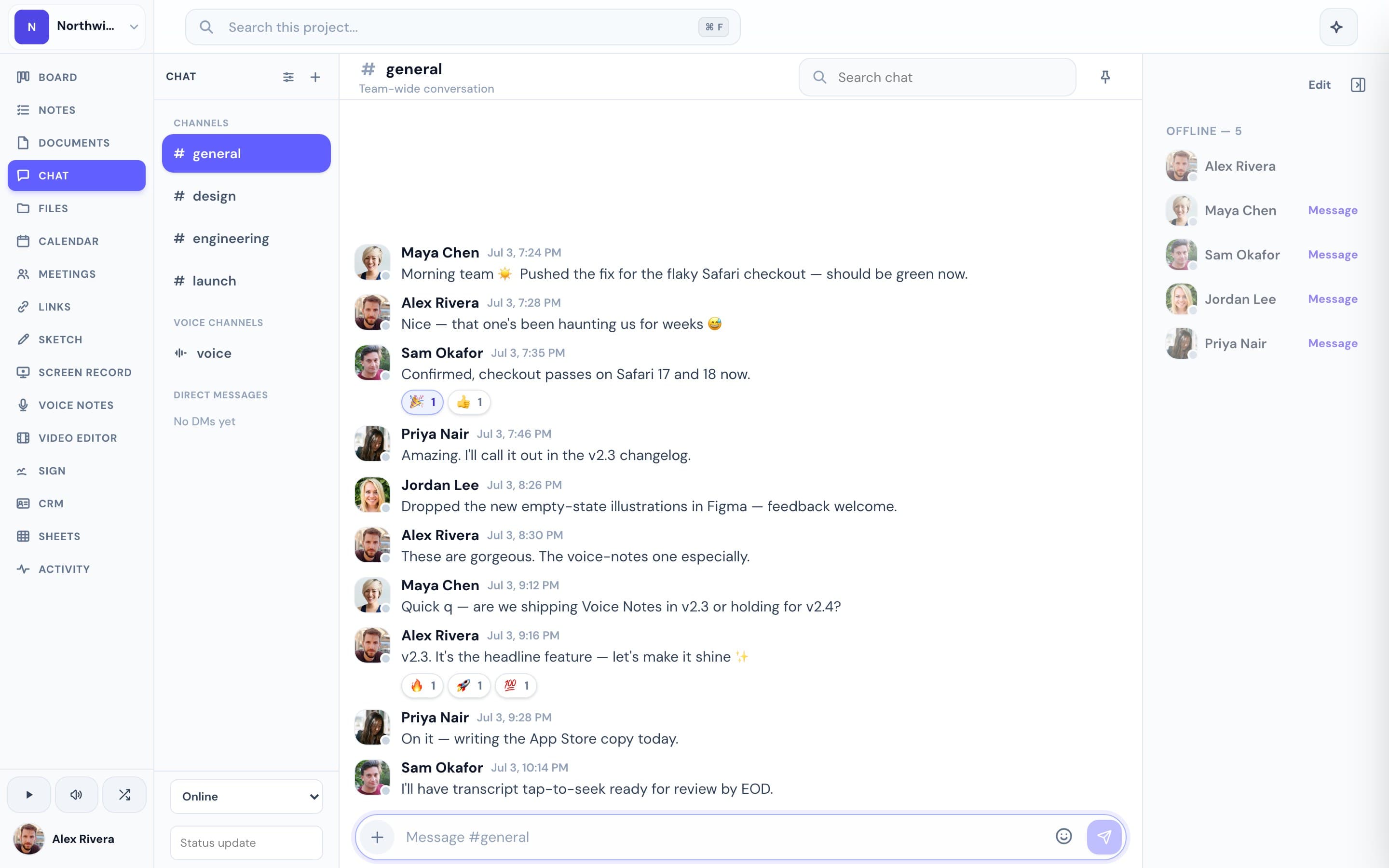
| Team chat & video meetings with AI notes | Built in, same workspace as the doc | Not built in — pair with Slack/Zoom or a Pack |
| E-signatures & booking pages | Built in | Not offered |
| Price | Free during open beta | Per-Doc-Maker seats, $10–$30/user/month (annual) |
What Coda does brilliantly
Coda's bet is that a document can be more than a description of the work — it can run it. Tables behave like real databases, with formulas, buttons that trigger actions, and automations that fire on their own. Hundreds of Packs connect a doc out to other tools, so a builder willing to climb the learning curve can turn one Coda doc into a tracker, a wiki, and a lightweight internal app at once. Now part of the Superhuman suite alongside Grammarly, it's a mature, well-funded platform for teams that want to construct their own tooling out of documents.
Where Progress is different
Progress isn't trying to out-build Coda at doc-as-app — our documents are deliberately simple: a fast rich-text editor with version history and one-click publish to a clean page a client can read with no account. What's different is everything the doc doesn't have to do alone. In Progress, that document already sits next to a kanban board, real-time chat, a Google-synced calendar, video meetings with AI notes, screen recordings, e-signatures, and booking pages — all part of the same project the day you create it. There's no formula language to learn and no builder role to assign; the workspace is already assembled, where a Coda doc becomes an app only after someone constructs it.
This is the real thing
Actual screenshots from a live Progress workspace — not mockups. Every project ships with all of it.


Looking for a Coda alternative?
If you genuinely need docs that behave like software — cross-linked tables, buttons, automations, a real formula language — nothing here replaces that, and Coda stays the better tool for building it. But if what you actually use Coda for is writing things down, tracking a project, and keeping a client in the loop, a lot of teams end up paying per-Doc-Maker pricing for power they never touch. Progress skips the build step: the board, docs, chat, calendar, e-signatures, and booking pages for a project are already connected the moment you create it, free during the open beta.
Focused guides
Comparisons