
| Progress | Cal.com | |
|---|---|---|
| Public booking page with event types | Yes — /book/username link, event types, reschedule & cancel | Yes — its flagship feature, unlimited event types on free |
| Calendar-based availability | Yes — Google Calendar sync | Yes — unlimited calendar connections across providers |
| Advanced scheduling (round-robin, routing, API, self-hosting) | No — deliberately simple | Yes — best in class; team features from $15/user/mo |
| Booking becomes a project workspace | Yes — board, docs, chat, files spin up around the booking | No — hands off to whatever tools you pair with it |
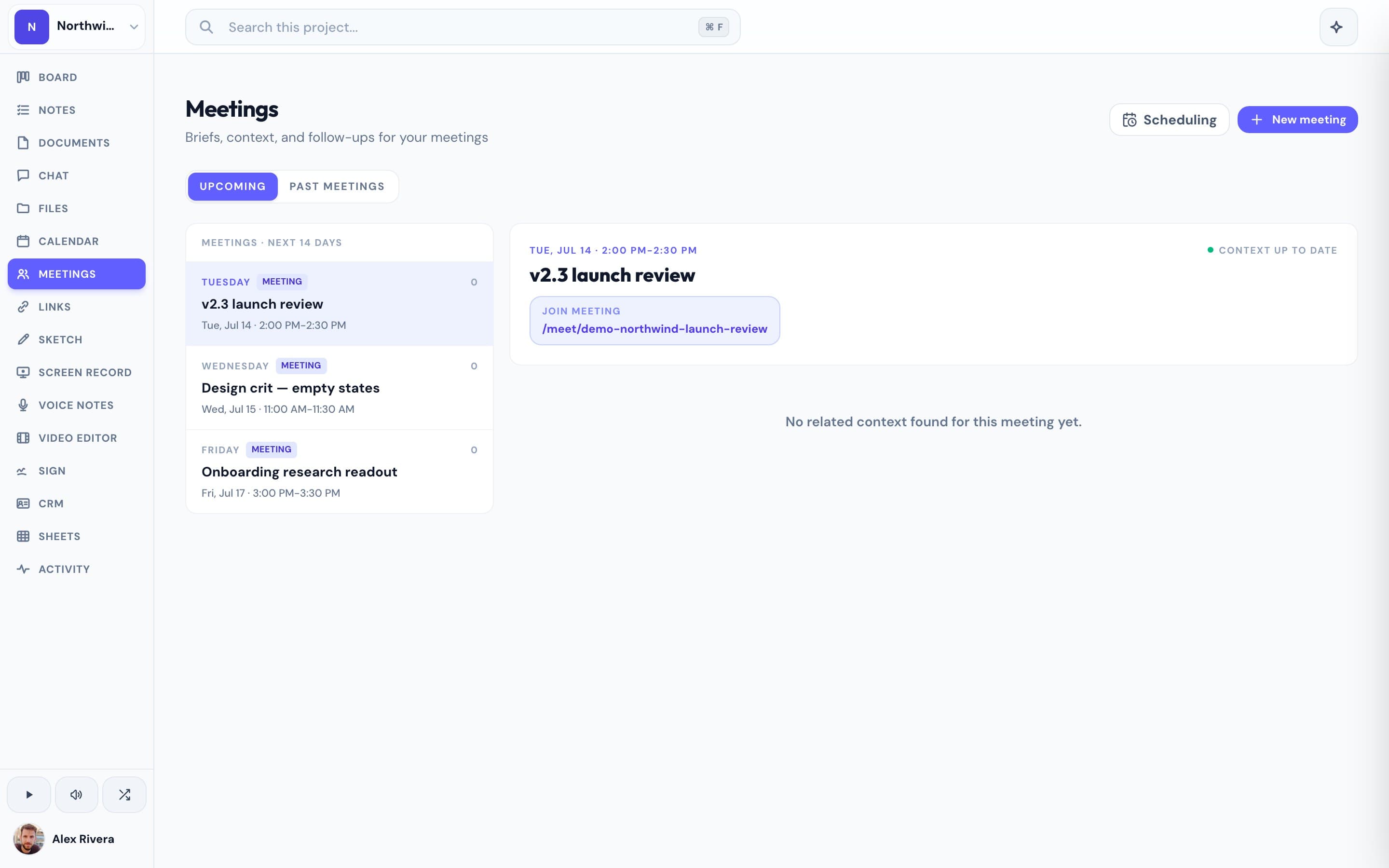
| What surrounds the booking (meetings + AI notes, e-sign, CRM) | Built in, clients need no account | Not included — scheduling only, thin native CRM ecosystem |
| Price | Free during open beta | Free for 1 user; Teams $15/user/mo, Organizations $37/user/mo |
What Cal.com does brilliantly
Cal.com is arguably the most flexible scheduling tool you can buy — or not buy, since it's open source and self-hostable. The free plan is genuinely generous: unlimited event types, unlimited calendar connections, and workflows for a single user. For developers it's in a class of its own, with a real API, webhooks, and embeds that let you build scheduling into your own product. And for teams that outgrow a personal link, round-robin and collective events on the Teams plan handle sophisticated routing that most schedulers can't touch. If your entire problem is scheduling — especially scheduling you want to program — Cal.com is a superb answer.
Our angle: the booking is the start of the project, not the end of the tool
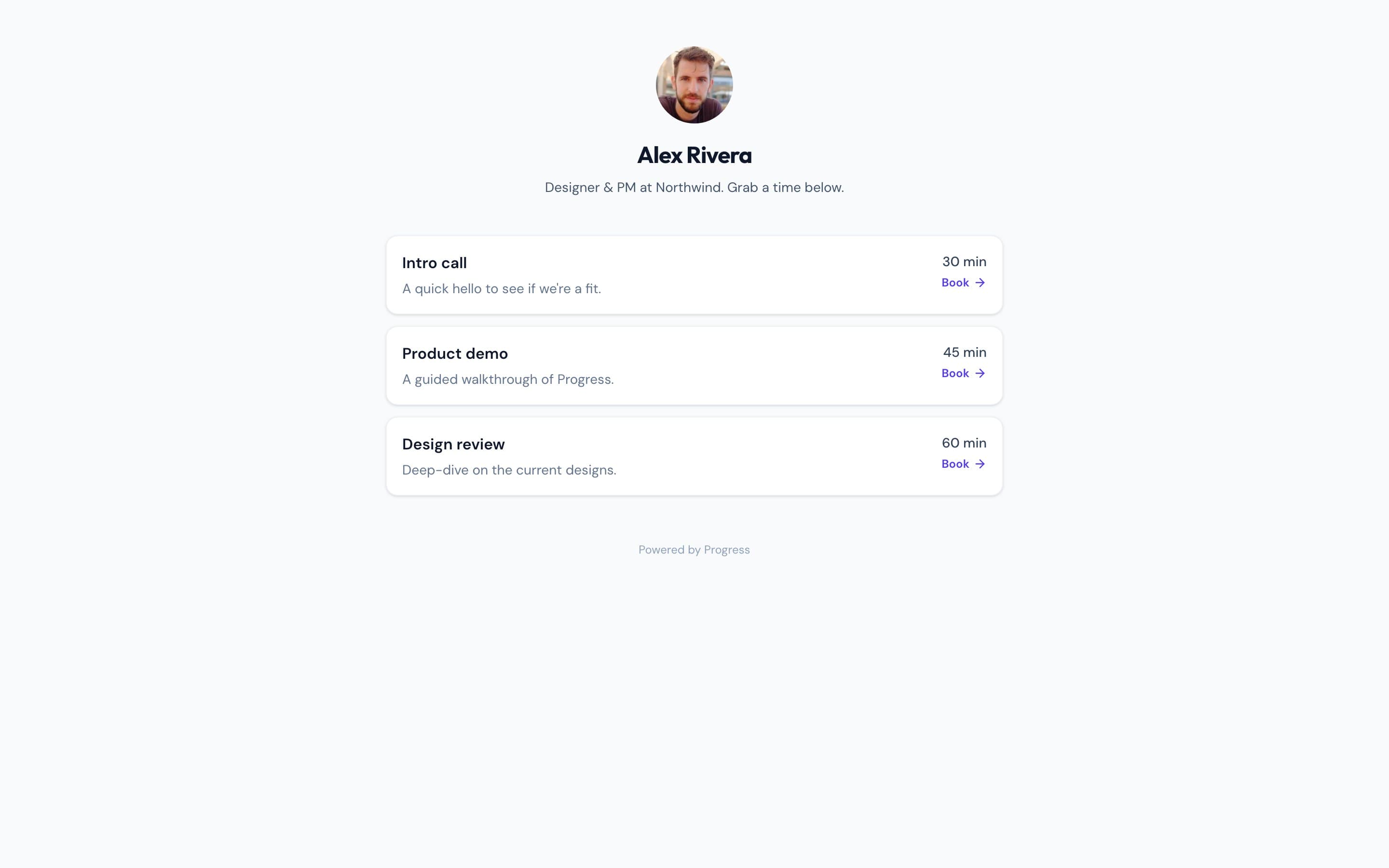
Progress isn't trying to out-schedule Cal.com. We give you the core of it — a public /book/your-name link, event types, Google Calendar availability, reschedule and cancel links — without a separate subscription. Then we do the part no scheduler does: the booking converts into a project. The kanban board, shared documents, team chat, files, video meetings with AI notes, and e-signatures are all in the same workspace the booking created. With Cal.com, a booked call kicks off a scramble across four or five other tools; it has no CRM of its own and only a thin set of native CRM integrations — by design, because it's a scheduling company. With Progress, the client who booked you never leaves the workspace — and they never need an account to meet, sign, or view what you share. All of it is free during open beta.
This is the real thing
Actual screenshots from a live Progress workspace — not mockups. Every project ships with all of it.

Looking for a Cal.com alternative?
Be honest with yourself about why. If you need self-hosting, an API-first scheduler, or round-robin routing across a sales team, Cal.com is the right tool — switching away would cost you real capability. But if you're a freelancer, consultant, or small team using Cal.com for one simple job — let clients book time with me — and then juggling separate tools for the board, the docs, the chat, and the contract, Progress replaces that whole stack. You keep the booking link — /book/your-name — and the moment a client books, the rest of the project is already there. It's free during open beta, and beta users hear about pricing first.
Focused guides
More scheduling comparisons