
What you get
- Client booking pages backed by your real Google Calendar availability
- Guests join video meetings from a plain link — no account, no download
- Documents clients can view and e-sign, with a signing audit trail
- Publish notes, docs, or files as read-only links for finished deliverables
- Everything scoped to the one project the client is actually working with you on
The usual setup, and where it breaks down
The "portal" is just a login page to five other tools
Plenty of client portal products are a directory, not a workspace: click here for Calendly, click there for DocuSign, click somewhere else for a shared drive. The client still bounces between separate logins and separate notification emails from each vendor — the portal just organizes the bouncing.
Clients won't make an account for you
Every extra signup is a client who emails instead. A booking tool that requires an account, a file drop that requires an account, a sign request that requires an account — each one is a small tax on a relationship you're trying to keep frictionless.
Deliverables get buried in email threads
Without a shared place tied to the actual project, "here's the final version" lives in an email attachment three replies deep. Months later, neither of you can find it.
| Progress | The usual stack | |
|---|---|---|
| Client booking page | Built in, backed by your Google Calendar | Calendly or similar, wired in separately |
| Video meetings clients join | Built in — guest joins from a link, no account | Zoom or Meet link pasted into an email |
| Document signing | Built in, with a signing audit trail | DocuSign or PandaDoc — another login, another bill |
| Published deliverables | Publish notes, docs, or files as read-only links | Email attachments or a shared drive folder |
| Where it all lives | One project workspace per client | A portal page pointing out to four other tools |
| Client account required | No — booking, meetings, viewing, and signing all work from a link | Often yes, for at least one of the tools |
A portal that's really just the project, shared
There's no separate portal product to configure. The booking page, the meeting link, the document you send for signature, and the deliverable you publish all come out of the same Progress project you're already running the work in. Update the document, and the link you already sent still points at the current version.
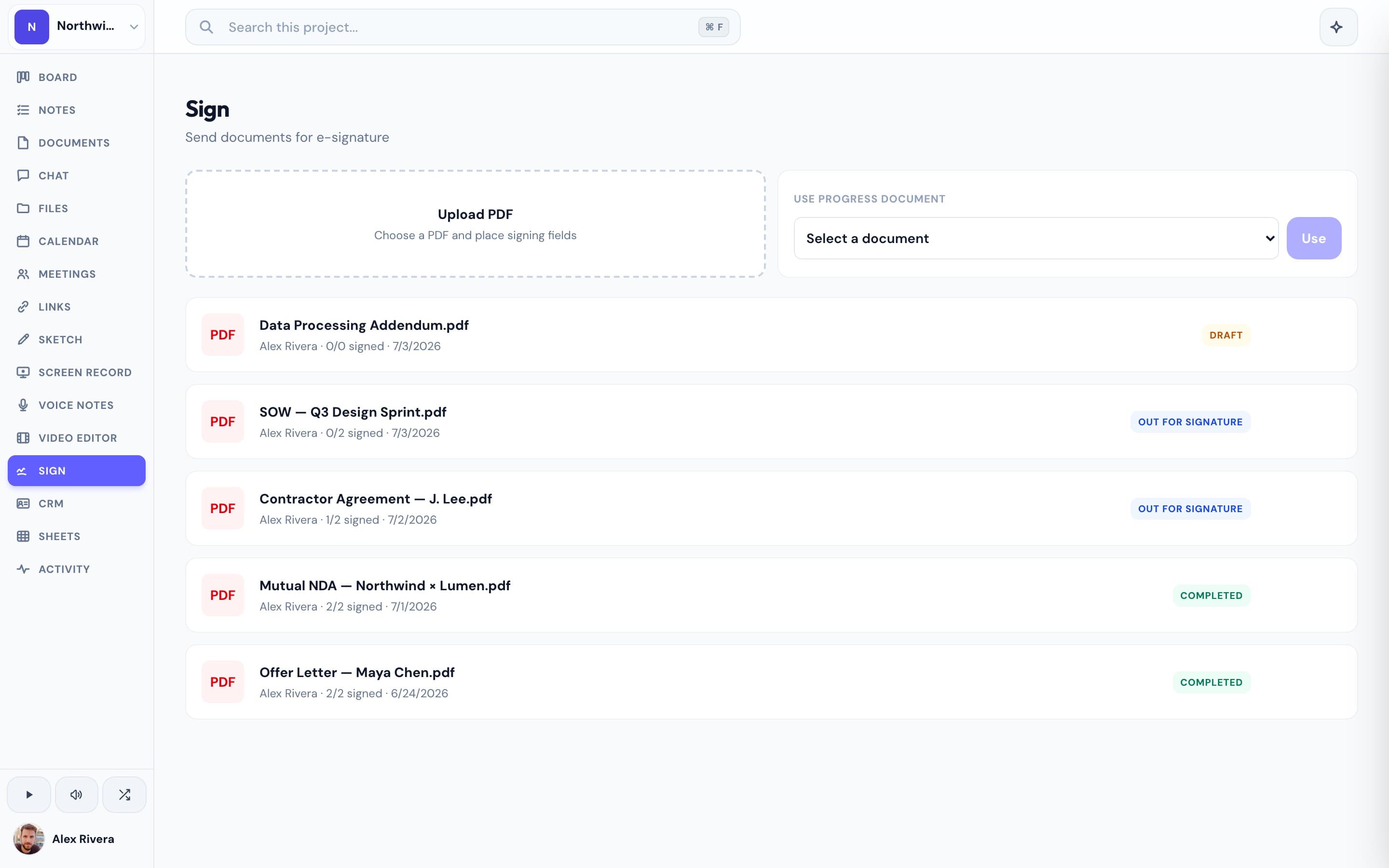
Nothing for the client to set up
A client picks a time on your booking page, gets a calendar invite with a meeting link, joins the call from that link, opens the document you sent and signs it, and views whatever you've published — start to finish without ever creating a Progress account. You control what they see; they never see your board, your other clients, or your team's internal chat.
Built in beats bolted on
Calendly, DocuSign, and a Zoom link are all solid tools on their own — but wiring them into a consistent client experience is work, and keeping them in sync with the actual project is more work. Progress skips the wiring: booking, signing, and meetings already know which project they belong to, because they're part of it.
Common questions
Do clients need to create an account?
No. Booking a time, joining a meeting, viewing a published document, and signing a document all work from a plain link — no Progress account required.
Can I control exactly what a client sees?
Yes. Clients only see what you explicitly share — a booking page, a meeting link, a published document or note, or files you send them. They never see your board, your other projects, or your team's internal chat.
Is this a separate 'portal' product I have to configure?
No, and that's the point. The client-facing pieces are the same booking, meetings, e-signature, and publishing features you already use — there's no separate portal to set up or keep in sync.
What does it cost?
Progress is free during the open beta.
Features that make it work
Compare
More use cases