
What you get
- One project per client — board, calendar, files, and chat scoped to that engagement, not spread across five logins.
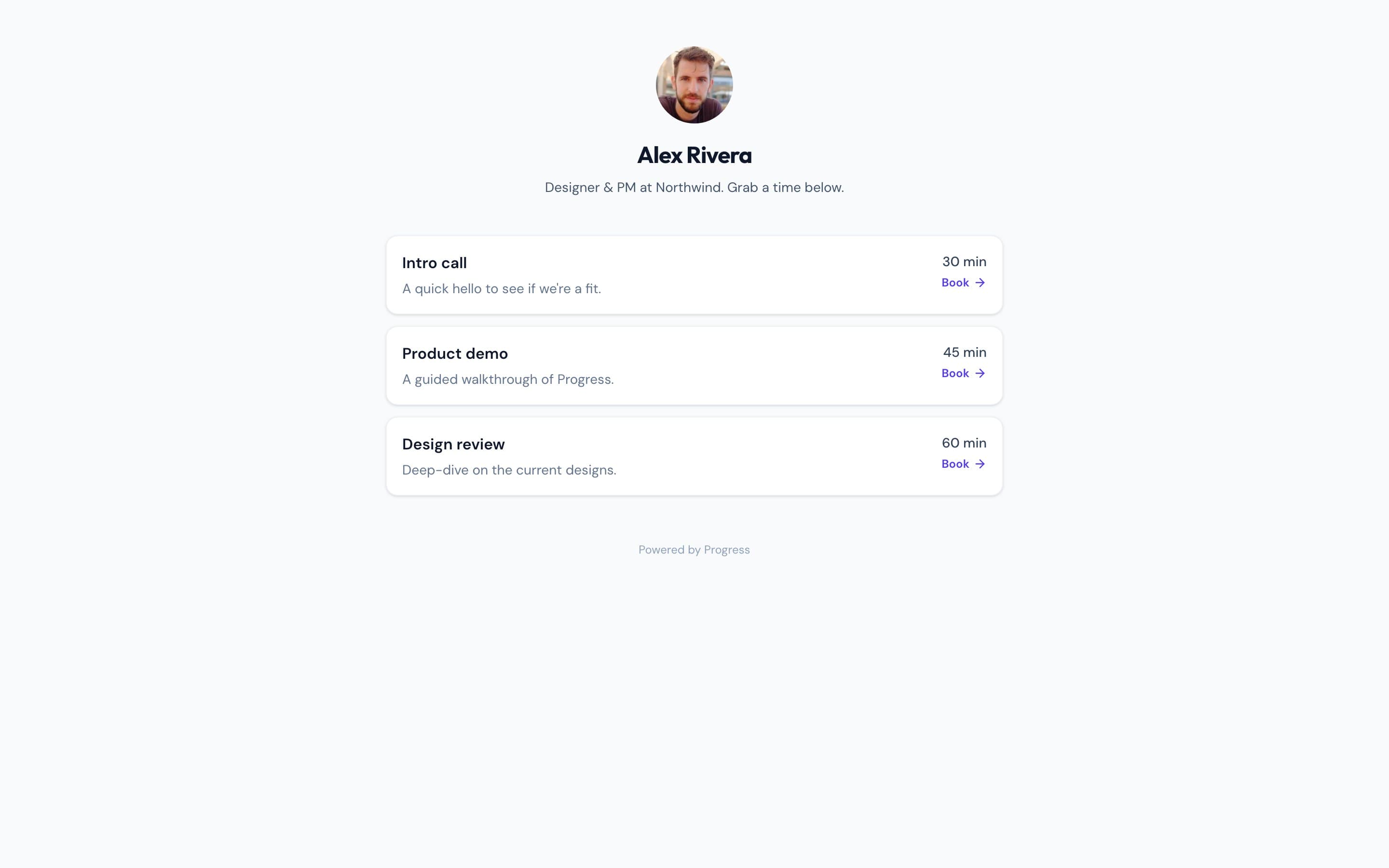
- A booking page synced to your Google Calendar so clients schedule calls without an email back-and-forth.
- Built-in e-signature for the SOW, so contracts close inside the same project as the work.
- Guest video meetings clients join from a plain link — no account, no download — with AI meeting notes.
- Docs and files the client can see, living next to the board instead of a separate Drive folder.
- An activity feed that answers "where are we on this" before the client has to ask.
The usual setup, and where it breaks down
Client work is scattered across tools
The Calendly link lives in an email thread, the SOW is in DocuSign, calls happen on Zoom, the board is a separate Trello, and files sit in a Drive folder. None of it talks to the others.
Onboarding a new client takes too long
Every new client means creating logins, sharing five different links, and explaining which tool does what — before any actual work starts.
Clients can't see status without asking
With work spread across disconnected tools, there's no single place a client can look. Status updates become an email or a scheduled call instead of a glance.
| Progress | The usual stack | |
|---|---|---|
| Scheduling client calls | Booking page synced to your Google Calendar — client picks a time, no back-and-forth | A Calendly link pasted into an email or the SOW |
| Tracking the engagement | Kanban board scoped to the client's own project | A Trello or Asana board the client may or may not have access to |
| Contracts and SOWs | Built-in e-signature on the SOW itself | DocuSign or HelloSign — a separate account and link |
| Client calls | Guest video meetings joined from a plain link, no download | A Zoom or Google Meet license and a separate invite |
| Sharing files and status | Docs and files live in the same project the client can view | A Drive folder shared separately, permissions that drift over time |
| Meeting notes | AI meeting notes captured automatically in the project | Manual notes, or a separate notetaker tool bolted on |
One project per client, not five tools
Most agencies run client work through a stack that grew one tool at a time: Calendly for scheduling, DocuSign for contracts, Zoom for calls, a Trello or Asana board, and a shared Drive folder for files. In Progress, a client is a project. The board, the booking page, the e-signature request, the meeting, and the shared files all live inside it, so nothing has to be re-linked or re-explained when a new person joins the account team.
The parts your client actually touches
Clients don't need to log into Progress to book a call, sign a SOW, or join a meeting — the booking page, e-signature request, and guest video meeting all work from a plain link. If you want them to see status without asking, you can also give them view access to the project's board, docs, and files, so a client update is a link you already have open rather than a call you have to schedule.
Everything else stays in the same workspace
Once the client-facing pieces are handled, the project still holds what your team needs to run the engagement: chat for the account team, notes with version history, a CRM entry tracking the relationship, and a project-aware AI assistant. Closing a SOW or scheduling a call doesn't require leaving the workspace where the actual work is happening.
Common questions
Does my client need a Progress account?
Not for the client-facing parts — booking a call, signing the SOW, and joining a guest video meeting all work from a plain link, no account required. If you want them to view the board, docs, or files directly, you can add them to the project.
Can I run multiple clients side by side?
Yes. Each client is its own project, so boards, calendars, and files stay scoped to that engagement instead of mixing together.
Can I move over from Calendly, DocuSign, and Zoom?
There's no automatic importer yet. Moving existing bookings, contracts, or client links over is a manual process — reach out through in-app support and we'll help.
What does it cost?
Progress is free during the open beta.
Features that make it work
Compare
More use cases