
| Progress | Fathom | |
|---|---|---|
| How notes are captured | Meetings run in Progress; each participant's mic is recorded in-browser — no bot in the room | A visible 'Fathom Notetaker' bot joins the call, or a Mac/Windows desktop app captures audio; auto-joins from your calendar |
| Works with Zoom, Meet, and Teams | No — Progress only takes notes on meetings held inside Progress | Yes, all three — this is Fathom's home turf and it's excellent at it |
| Transcript and summary quality | Whisper transcription plus an AI summary with action items, ready shortly after the call | Best-in-class reputation: highly accurate transcripts, summaries within minutes; advanced summary templates are capped at 5 calls/month on the free plan |
| Where action items land | Emailed to attendees and saved in the project, next to the board, docs, and chat | Extracted well, but must be pushed to external tools (Asana, Todoist, Slack, CRM) to become tasks |
| Hosts the meeting itself | Yes — guests join by link in the browser, no account, with lobby admission | No — Fathom records meetings hosted on other platforms and has no video calling of its own |
| Workspace around the notes | Full project workspace: kanban board, chat, docs, files, calendar, recordings, whiteboard, CRM, AI assistant | A focused capture layer with strong integrations, including deep HubSpot/Salesforce sync on paid plans |
| Price | Free during open beta; pricing later, beta users hear first | Unmatched free tier (unlimited recording, transcription, storage); Premium from $16/user/mo annual, Team from $15, Business from $25 |
What Fathom does brilliantly
Fathom's free plan is its signature: unlimited meeting recordings, unlimited transcription, and unlimited storage at $0. That's not a teaser — it's the real product, and it's a big reason Fathom holds a 5.0 rating on G2 across thousands of reviews. The Fathom Notetaker auto-joins your Zoom, Meet, or Teams calls by watching your Google or Outlook calendar (or a desktop app can capture audio without a bot at all), and summaries typically arrive within minutes. For sales teams it goes further: bidirectional HubSpot and Salesforce sync attaches summaries and transcripts to contact records, and the Business tier auto-fills CRM fields like budget and decision-makers straight from the call. Ask Fathom lets you query a single call or your entire meeting history. If your meetings live on Zoom, Meet, or Teams — especially sales calls — Fathom is an excellent choice, and Progress is not a substitute for it: Progress has no bot that joins calls on other platforms.
Where Progress starts instead: the meeting inside the workspace
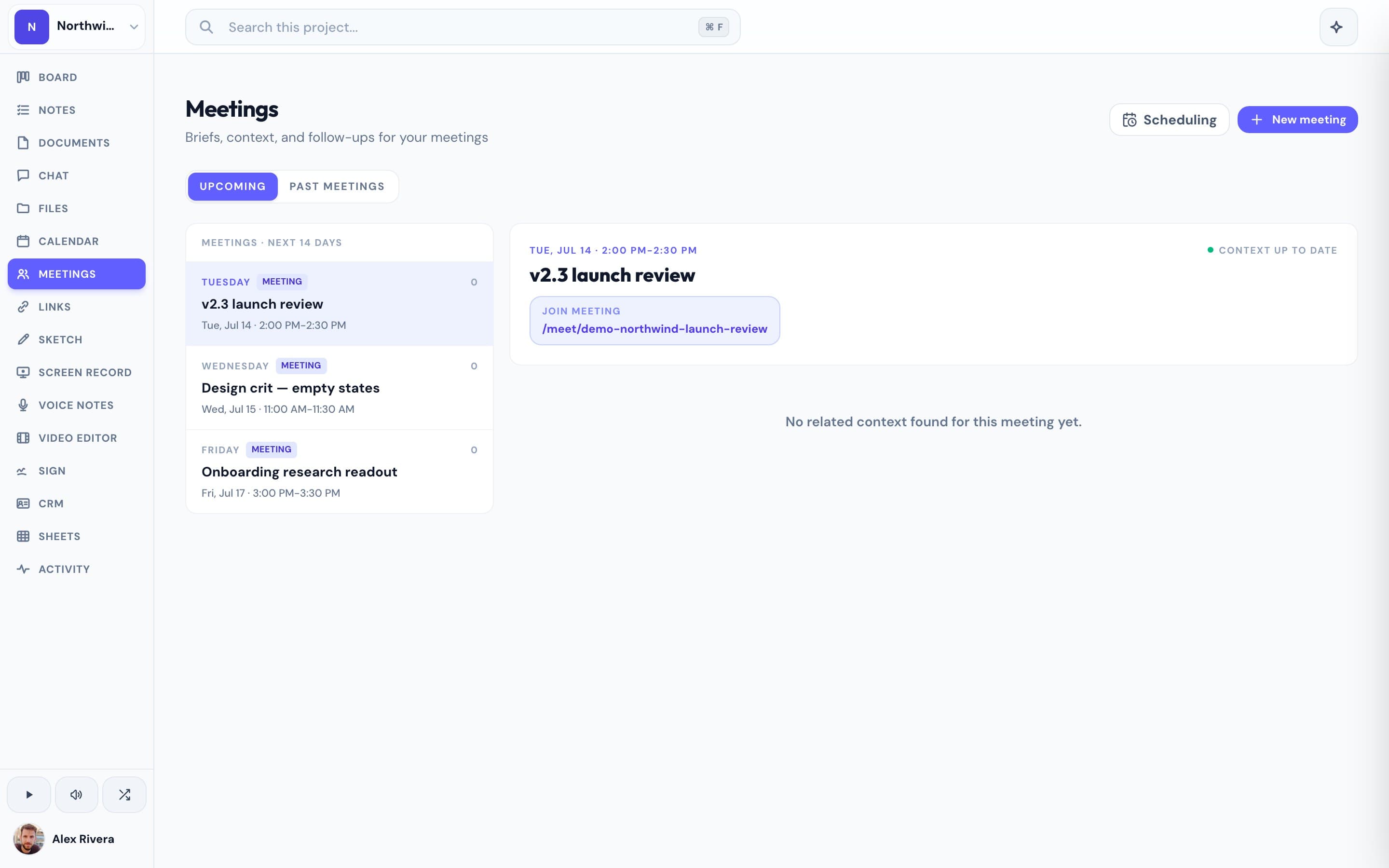
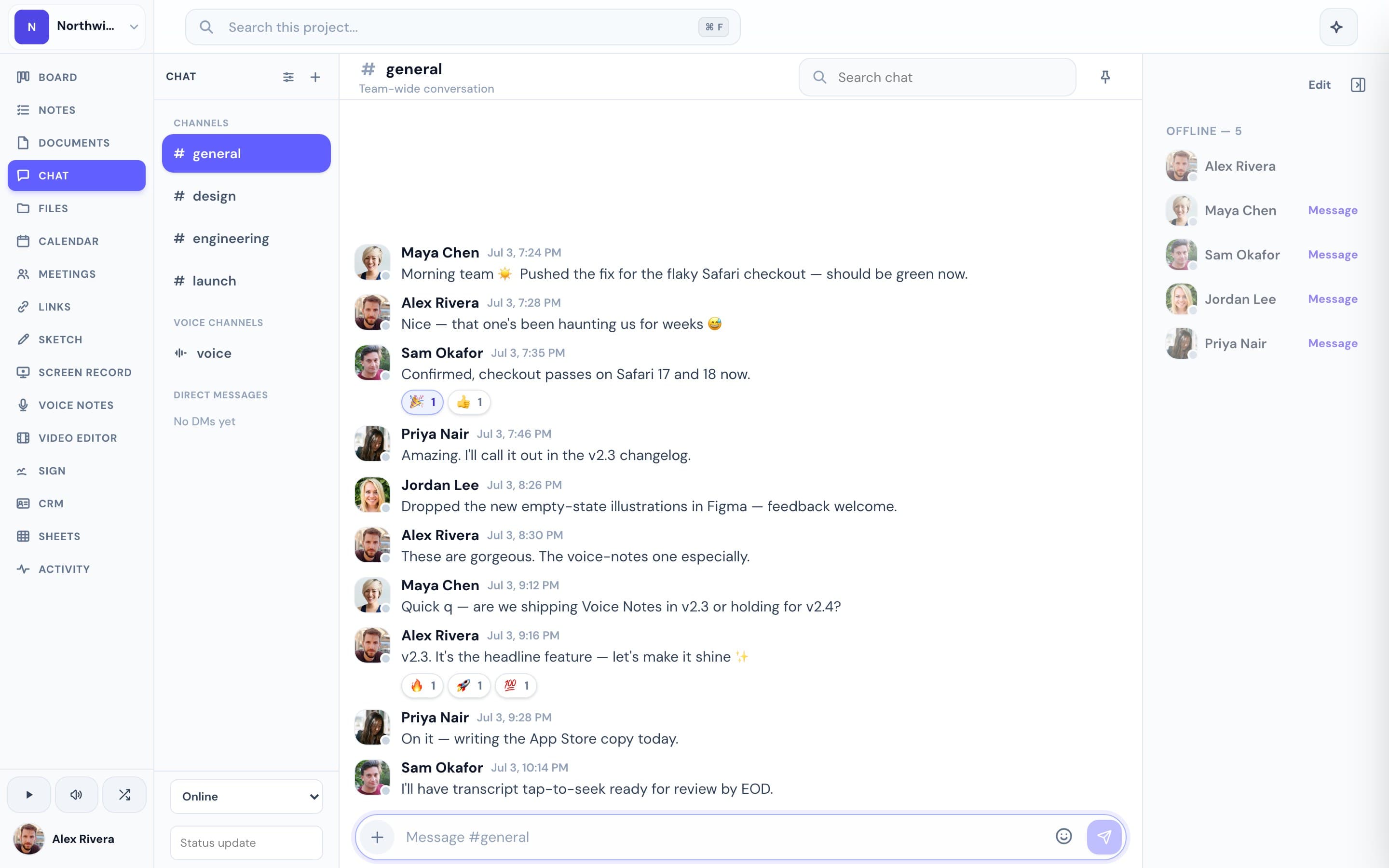
Fathom captures meetings; it doesn't host them, and it isn't a place where work happens — action items have to be pushed out to Asana, Todoist, Slack, or your CRM to become real tasks. Progress collapses that pipeline. Meetings run inside Progress itself: guests join by link in the browser, no account needed, with lobby admission. Each participant's audio is recorded client-side, transcribed, and turned into an AI summary with action items — emailed to attendees and saved into the project, right beside the kanban board, docs, chat, and files the meeting was about. There's no export step, no "which tool did that decision end up in," and the same AI notes work in ad-hoc voice channels too. Around the meeting you get the rest of an all-in-one workspace: board, team chat, docs with version history, screen recordings, voice notes, whiteboard, e-signatures, booking pages, and Scout, a project-scoped AI assistant. The trade-off is explicit: this only works if you're willing to run your meetings in Progress. And it's free during open beta — pricing comes later, and beta users hear first.
This is the real thing
Actual screenshots from a live Progress workspace — not mockups. Every project ships with all of it.

Which one should you actually use?
If your meetings happen on Zoom, Google Meet, or Microsoft Teams and that isn't changing — or you're a sales team that lives in HubSpot or Salesforce — use Fathom. It's the right tool for that job, its free plan is genuinely hard to beat, and Progress can't record calls on those platforms. Progress is the better fit for teams willing to run meetings where their work already is: client check-ins, standups, and project reviews where the point of the meeting is the board, the doc, or the deliverable sitting one click away. In that world, the notes don't need to be synced anywhere — the meeting happened inside the project, and everything it produced stays there. Progress is free during the open beta, so trying it costs nothing but the calendar invite.
More AI meeting notes comparisons